Updates

What's new in Botconsole: all latest updates, features, and platform improvements.

September 2026
A new way to talk to your customers — Telegram Business!

A new way to talk to your customers — Telegram Business!

The Telegram connection settings now have a «Business Account» tab — a mode where the bot works inside your own private conversations. The customer writes to you, not to the bot, and the reply arrives from your account: to them it looks like a normal chat with a person, not a conversation with a bot.

What's new and how it works:

Replies sent as you — the bot connects to a personal account through Telegram's Secretary Mode and answers customers in your private chats. You decide which conversations it can see and what it may do: reply, mark as read, delete its own messages. Rights can be changed in Telegram at any time, and the bot can be paused in one specific conversation from the same screen.

Human takeover — the defining setting of this mode. The moment you answer a customer yourself, the bot goes quiet in that dialog and stops cutting in when the customer follows up. The conversation is marked as handed over, and automation returns either manually or on a timer — after 30 minutes, 2 hours or a day. Replying from the «Chats» section behaves the same way.

A separate scenario with a BA badge — a business account answers with its own scenario rather than the bot's main one. You can create it straight from the tab with «+ Create a scenario», and publishing it neither replaces the main scenario nor touches the bot's command menu — ordinary dialogs keep working exactly as before.

Merged messages and a human pace — customers often split one thought across messages: «Hi» / «I need an AC» / «for my home». The bot waits a set number of seconds for the rest and answers once instead of four times. A 2–3 second reply delay removes the tell of an instant auto-reply coming from a personal account.

Working hours from the Business Profile — the schedule comes from the «Business Profile» section along with breaks, holidays and timezone. Automation can run during working hours only, outside them only (you cover the day, the bot covers the night), or around the clock.

Control over who connects your bot — technically any Telegram user can attach your bot to their own business account, so a connection from someone else is recorded but stays inert until you allow it. Your own account is allowed automatically, and agencies get an allowlist of `@logins` and Telegram IDs.

Everything lands in «Chats» — private conversations arrive in the shared inbox next to bot, widget and other channels: full history, attachments, operator replies and a business-chat marker. Contacts from these dialogs carry a briefcase icon and are excluded from broadcasts and auto-messages — the person wrote to you, they did not subscribe to a bot.

Telegram's limits worth knowing: you may only reply in a private chat where the customer wrote to you within the last 24 hours, only one bot can be connected per account, and inline button presses are not processed in business chats — scenarios here are built around text. This channel cannot be used for cold outreach.

On the free plan a business account is available for 30 days from the bot's creation date — the remaining days are shown next to the «Business Account» item.

More in the docs — https://botconsole.net/documentation/en/telegram-business-account


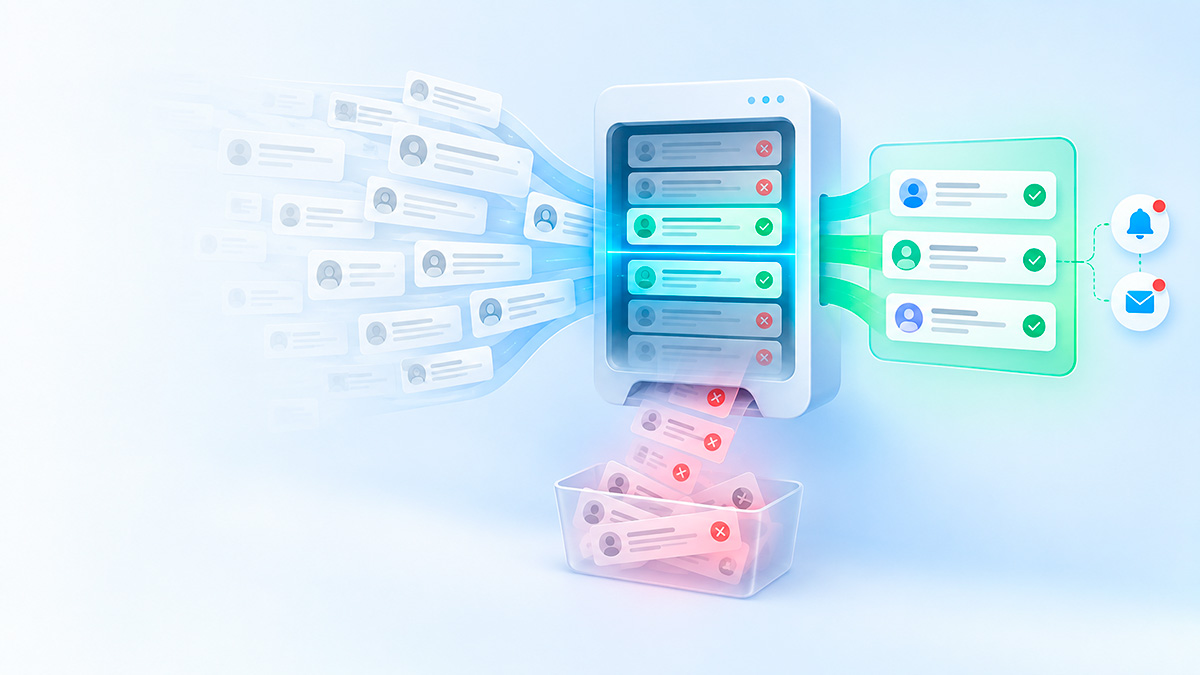
Full E-Commerce store in your bots — meet the new Products & Orders section!

Full E-Commerce store in your bots — meet the new Products & Orders section!

A brand new «Products» section is now available in your account, turning any Telegram bot into a complete online store with product catalogs, order processing, PDF receipts, customer cohort analytics, and flexible constructor automation.

What's new and how it works:

• Product & category catalog — add products with rich descriptions, photo galleries, video clips, SKUs, discounted pricing, and categories. The system automatically tracks inventory stock levels and hides sold-out items.

• Centralized order management hub — all orders placed across your bots arrive in a unified registry with instant search and filtering by statuses («New», «Processing», «Paid», «Delivered», «Cancelled»), dates, and customers. Order items can be modified directly in the order drawer: add new items, change quantities, and recalculate discounts and delivery fees.

• Branded PDF receipts & invoices — generate clean, professional sales receipts in a single click. Invoices automatically include the bot's logo and title, business legal details, customer delivery address, an itemized table with VAT/tax breakdown, and a customizable footer note.

• Customer cohorts & analytics — the analytics tab groups customers by purchase frequency (first-time, repeat, loyal with 3+ orders), calculates average order value (AOV), and surfaces key sales metrics. Clicking any customer opens their complete order history.

• Automated status notifications — your bot can automatically message customers on Telegram when their order status changes. Message templates with placeholders (order number, total amount, tracking link) can be customized for each status.

• Bot constructor integration — the «Database» block includes native actions for managing products and orders. The inline «Test» button lets you verify requests against real data and automatically populates variable autocomplete, while all image and video URLs return as ready-to-use absolute links.

Read more in the documentation — https://botconsole.net/documentation/en/products-and-orders-overview


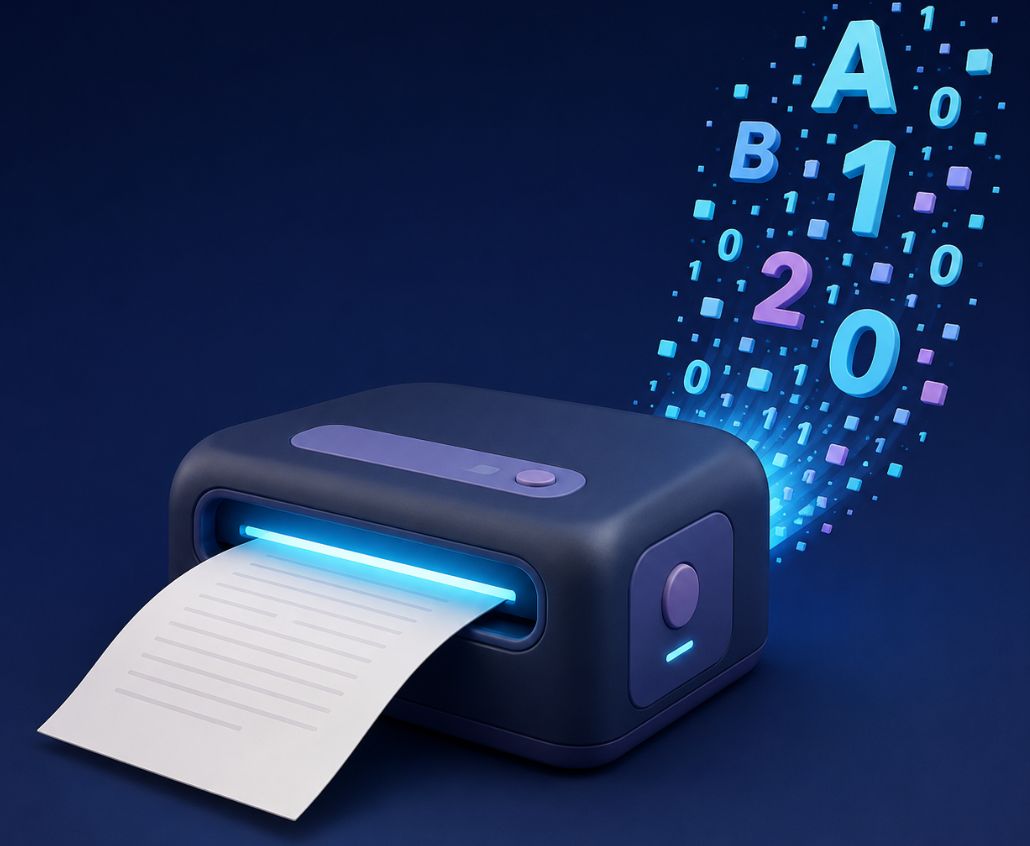
Your bot just learned to read documents — meet the "Extract text from a document" action

Your bot just learned to read documents — meet the "Extract text from a document" action

A user sends your bot a contract, an invoice, a CV or a price list — and until now the bot could only forward that file onwards. Now it can read it. A new action in the "File Processing" block pulls the text out of a document and puts it into a variable that every block you already know can work with.

Documents (PDF, DOCX, DOC, ODT, RTF, EPUB), spreadsheets (XLSX, XLS, ODS, CSV), presentations (PPTX, PPT, ODP), as well as HTML, TXT, MD, JSON, XML and other text formats are all supported. Spreadsheets are parsed sheet by sheet, keeping rows and columns intact — equally readable for a model and for a person. There are only two settings: the file link and the name of the result variable.

The most obvious use is pairing it with AI. Put an "AI dialog" block after the new action and ask it to summarise a contract, pull the amount and due date out of an invoice, score a CV against your criteria, or answer the user's question strictly from the instruction they attached. It is just as useful without AI: save a price list into the database, find the fragment you need, show the user the opening lines, or split a table into variables.

Storage deserves a separate word. A document's text can weigh hundreds of kilobytes, and keeping that alongside the regular dialog variables would be wasteful — it would slow the bot down on every single message. So we added a new kind of variable: a temporary cache. The value lives for one hour and then removes itself. You read it exactly like any other variable — no special syntax, just {{document_text.text}}. Only the lifetime differs: use the text within the same scenario, and if you want a safety net for the expiry, the familiar fallback form comes in handy — {{document_text.text||Please send the file again}}. In the editor and in the autocomplete list such variables are marked with a hint about their temporary storage.

Like every action in the block, the new one writes {{document_text.status}} and {{document_text.error_message}} — put a "Condition" block after it and your bot will reply politely when a file could not be read. Alongside them you get the text length in characters plus the format and size of the source file.

More in the docs — https://botconsole.net/documentation/en/file-processing


Your bot just learned to pick up calls from the outside world — meet the Webhook node!

Your bot just learned to pick up calls from the outside world — meet the Webhook node!

Until now a scenario could only be started from inside: a user's message, a channel event, a schedule. Now it has its own public address — any external service can call it with a plain HTTP request and run the scenario exactly as if a real user had triggered it.

That opens up two directions at once. First, receiving data: a website, a CRM, or a payment service sends an event — an order was paid, a form was submitted — and the scenario saves it to the database and messages the user on Telegram. Second, serving data back out: an external system calls with parameters, the scenario computes the values it needs using the blocks you already know — Database, API Request, Integrations — and returns the result as one JSON response. In effect, the constructor becomes a lightweight API on top of your scenarios, no separate backend required.

Setting it up is as easy as any other node: separate test and production URLs, a "Listen for test event" button that pulls a real request's data straight into variable autocomplete, authentication (Basic or a custom header), an IP allowlist, CORS — and a detailed request log with export for when you need to dig in.

More in the docs — https://botconsole.net/documentation/en/webhook


August 2026
Dialog tags

Dialog tags

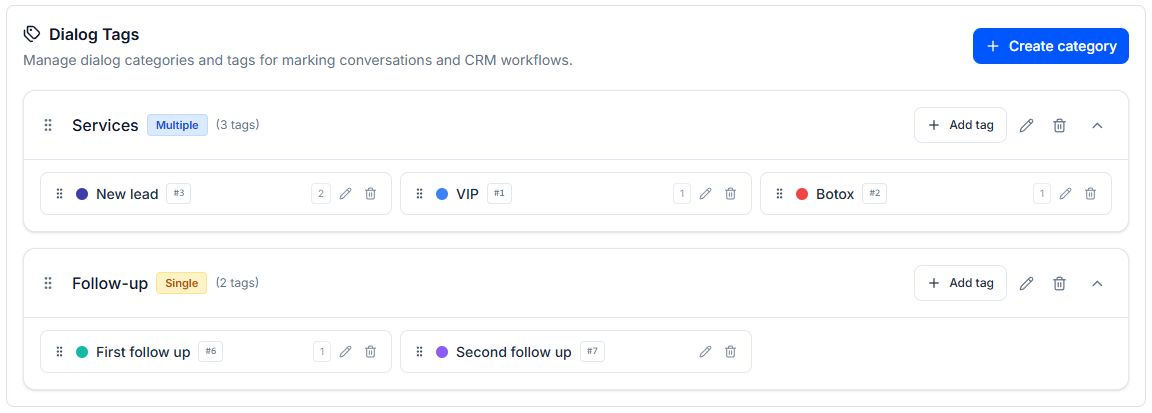
Dialog tags are now available in the bot settings. They allow you to manually tag dialogs for business purposes in chats or automatically—with AI—in the builder. Later, tags will help filter dialogs by category, separate cold and hot leads, and set up automatic mailings for each tag group.

A new action for working with tags has been added to the builder: "Chat actions" → "Manage tags."


Meet Rich Messages in AI dialogues!✨

Meet Rich Messages in AI dialogues!✨

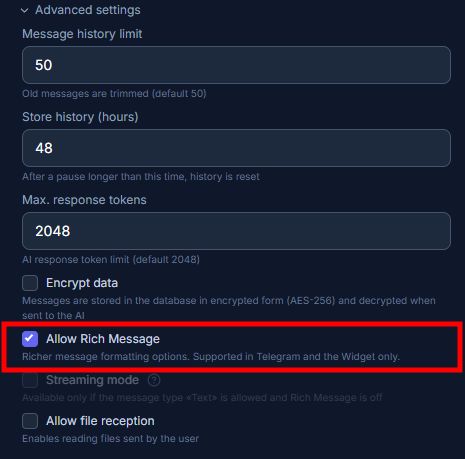
Now your bots' responses will become even clearer and more functional. The AI-dialog settings now include the "Allow Rich Message" option, which unlocks advanced formatting capabilities.

What this provides:
• Tables: the neural network can easily create a clear comparative table with products or pricing plans directly in response to a user's query.
• Media within text: photos of products or services can now be embedded directly into the message, without the need to add separate "Image" or "Gallery" blocks.

Make your dialogues more informative and convenient for your customers in just a few clicks!


New integration in the catalog Z.AI

New integration in the catalog Z.AI

Z.AI is the platform of the Zhipu AI laboratory, creator of the GLM model family. The chat endpoint is compatible with the OpenAI format, and adjacent paths of the same API host image and video generation, web search, and speech recognition — one key covers tasks that usually require three or four different services. At the same time, tokens cost several times less than those of Western leaders, and some models are available for free.

Response length — up to 128K tokens. Free models: glm-4.7-flash, glm-4.5-flash, and vision model glm-4.6v-flash. Non-token operations are billed separately: glm-image — $0.015 per image, cogview-4 — $0.01, cogvideox-3 video — $0.2 per clip, glm-asr speech recognition — $0.03 per megatoken. Prices are based on the Z.AI rate card as of August 28, 2026; payment is made directly to Z.AI using your key.

## What you can build in Botconsole

- Dialogue with the model — system prompt, chat history, JSON mode, reasoning mode, and streaming output: frontline support, catalog consultant, request qualification.
- Image analysis — the bot answers questions about the submitted photo: check a document, recognize a product, assess a defect.
- Image generation — create a picture from a description directly in the scenario.
- Video generation — create a clip from text or from an original image.
- Audio transcription — voice messages are turned into text, which the same model then analyzes.
- Web search — structured output from the Z.AI search engine with links, snippets, and dates, so the response relies on up-to-date sources rather than the model’s memory.
- Message reaction — the model chooses an emoji reaction itself from a list you provide.
- Token counting — estimate the length of the request before sending.

Connection — via a personal API key from the Z.AI dashboard; the “Check connection” button immediately shows if the key is working.

More details in the documentation — https://botconsole.net/documentation/en/z.ai


🚀 Launching the official Botconsole community on Reddit

🚀 Launching the official Botconsole community on Reddit

We have launched the official subreddit — r/Botconsole.

This is an open space for everyone creating chatbots, AI assistants, and omnichannel funnels (Telegram, WhatsApp, Instagram, Web-widget).

Why join r/Botconsole:

📦 Exclusive templates and schemas: ready-made sales funnels, CRM and Google Sheets integrations that you can copy with one click.
🧠 AI prompts and logic: sharing tested system prompts for GPT-4o, Claude 3.5 Sonnet, and Gemini for handling objections and lead qualification.
🛠 "Fix My Flow" section: stuck on branching logic or integration? Send a screenshot of your canvas — the team and community will help analyze and fix it.
💡 Direct influence on the Roadmap: vote for new nodes, integrations, and features that we will develop next.

👉 Join now: https://www.reddit.com/r/Botconsole/


Facebook Messenger added

Facebook Messenger added

New channel for bots — Facebook Messenger: automate conversations in one of the most popular messengers.
Connection, settings, and message limits — similar to WhatsApp and Instagram, but with more extensive formatting options.
Available starting with the PRO plan.


The logic for working with the knowledge base has been improved

The logic for working with the knowledge base has been improved

Knowledge expiration dates and prioritization of manual edits have been added.
Now a manager's response from the chat can be sent to the knowledge base with a single click — such entries receive the highest priority in AI responses.
For example: the knowledge base contains a document with outdated information, and the AI has already provided it to the user. The manager writes the updated information in the chat, sends it to the knowledge base — and from then on, the AI relies on this entry in conversations with clients.


Improved prompt analysis in AI dialogue

Improved prompt analysis in AI dialogue

In the AI dialogue, the ability to analyze and test instructions simultaneously through several selected neural networks has been added. This allows you to receive multiple recommendations for prompt improvement at once and choose the best neural network based on quality, speed, and cost of responses.


Telegram Lead generation bot - New template in the builder

Telegram Lead generation bot - New template in the builder

The scheme represents a Telegram bot for lead generation and qualification:

1. The bot initiates a dialogue with a potential client.
2. The first AI dialogue sequentially identifies the client's task, project scope, timeline, and budget.
3. The collected parameters are passed to the second AI dialogue.
4. The second AI dialogue selects suitable services or plans from the knowledge base, presents an offer, and determines the client's further intent.
5. The bot collects the name, phone number or Telegram contact, the chosen solution, and additional comments.
6. The application is forwarded to an online manager, who receives a summary of the lead.
7. After this, there is an option to send the data to an external CRM or another system via webhook, but this request is currently disabled.

More about the template- https://botconsole.net/templates/en/28/telegram-lead-generation-bot


AI sales consultant bot (Telegram, Widget, WhatsApp) - New template in the builder

AI sales consultant bot (Telegram, Widget, WhatsApp) - New template in the builder

This diagram represents a chatbot for an online store, functioning as a virtual consultant. It is designed to assist users in selecting products, answering questions about the assortment and ordering conditions. The bot can interact with users through AI dialogue and has the ability to switch to a manager if it cannot answer a question. Integration with your neural network is used to generate responses to user queries.

More about the template - https://botconsole.net/templates/en/24/ai-powered-sales-support-bot


AI Girlfriend - a new template in the builder

AI Girlfriend - a new template in the builder

This chatbot schema is designed to provide interactive communication with users on the topic of leisure and entertainment. The bot starts with a welcome message, invites the user to tell about themselves, introduces available plans and payment options, and also has functions for processing voice messages and images. An important part of the bot is its ability to conduct dialogue, save user information, and use AI to generate responses.

More about the template - botconsole.net/templates/en/22/ai-girlfriend-🔞


AI Companion - a new template in the builder

AI Companion - a new template in the builder

AI companion bot with long-term memory and file reading.

The operation scheme of this chatbot is designed to create a friendly interactive environment that allows users to communicate with an AI interlocutor who remembers the interaction history and generates personalized responses. The logic is divided into functional blocks (frames), such as a welcome message, user data collection, long-term memory management, and processing of incoming data (text, voice, or images).

More about the template - https://botconsole.net/templates/en/20/ai-companion-bot-capable-of-understanding-photos-and-voice-input