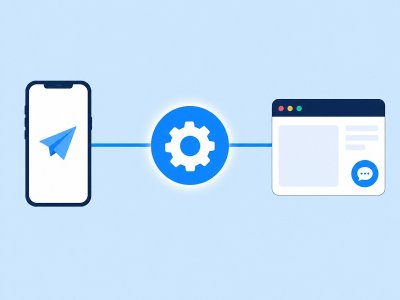
One flow for Telegram and a website widget means you design the conversation once and publish it to multiple channels without copying nodes. Botconsole’s omnichannel model keeps logic synchronized: the same conditions, AI nodes, variables, and integrations run on Telegram, web widget, and embedded forms.
If you have ever updated a FAQ bot in three places, this guide is for you.
The duplicate-bot tax
Teams often run:
- A Telegram bot for mobile customers
- A separate website chat tool
- A form tool for lead gen
Each has different scripts, analytics, and CRM fields. The duplicate-bot tax is the hours spent keeping them aligned — and the leads lost when they are not.
How Botconsole approaches omnichannel
- Design on the visual canvas.
- Connect channels (Telegram token, widget snippet, forms).
- Publish once so every connected channel receives the scenario.
- Manage conversations and UTMs in the built-in CRM.
Website widget availability follows plan limits (see pricing — web widget on START and above; free focuses on core/Telegram entry).
Implementation steps
1. Build the Telegram path first
Telegram is the fastest feedback loop: buttons, commands, and mobile UX. Nail /start, FAQs, and one conversion action (book, buy, or capture email).
2. Keep channel-specific UI minimal
Prefer logic that works everywhere:
- Short messages
- Clear buttons
- Variables instead of channel-only hacks
Where Telegram has unique features (e.g. certain keyboard types), isolate them so the web path still completes.
3. Add the web widget
- Upgrade to a plan with Web Widget if needed (START $19, PRO $29, AGENCY $99).
- Configure branding (colors, launcher).
- Paste the embed snippet on your site.
- Publish the same flow.
4. Verify parity with a checklist
| Scenario | Telegram | Web widget |
|---|---|---|
| Welcome | ✓ | ✓ |
| AI FAQ | ✓ | ✓ |
| Lead capture | ✓ | ✓ |
| Integration (Sheets/Calendar) | ✓ | ✓ |
| Handoff / confirmation | ✓ | ✓ |
5. Use UTM and page URL context
On web, Botconsole can log page URL and UTMs so managers know which landing page produced the chat. That closes the loop between ads and messenger conversations.
When to keep separate flows
Rare cases:
- Completely different products per channel
- Legal requirements to isolate data
- Experimental A/B tests that should not touch production Telegram
Default recommendation: one flow, versioned publishes, analytics-driven edits.
FAQ
Do I rebuild the bot for each channel?
No. That is the point of omnichannel publish in Botconsole.
Can forms share the same scenario?
Yes — embedded forms can run guided conversations that qualify and route leads using the same builder model.
Is the free plan enough for widget testing?
Free forever includes core builder and Telegram-oriented entry. Confirm web widget inclusion on your target paid plan before promising site chat to stakeholders.
Related
- How to Create a Telegram Bot Without Coding
- Chatbot CRM: Leads, UTMs & History
- Botconsole Pricing Explained (2026)
Start building free → Design once, publish everywhere your customers already are.


Terms of material usage
Full or partial copying of materials is allowed only with an active and indexed link to the original source: https://botconsole.net/blog/en/12/one-flow-telegram-website-widget