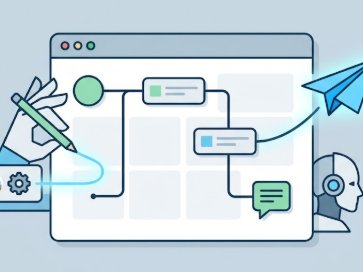
Botconsole is a no-code omnichannel AI chatbot builder with a built-in CRM. You design one visual conversation flow, publish it to Telegram (and optionally a website widget), and manage leads and history in one console — without writing code.
This guide walks you through creating a Telegram bot without coding, from zero to a published assistant.
What you need
- A Telegram account
- A free Botconsole account (start free)
- About 15 minutes
You do not need Python, webhooks, or a server. Botconsole handles hosting, the flow runtime, and channel connections.
Step 1: Create a bot with BotFather
- Open Telegram and search for @BotFather.
- Send
/newbotand follow the prompts (display name + username ending inbot). - Copy the HTTP API token BotFather gives you.
Keep the token private. You will paste it once into Botconsole; you will not paste it into public code.
Step 2: Create a project in Botconsole
- Sign up or log in at Botconsole.
- Create a new bot/project (core features are available on the free forever plan: 1 bot and 1,000 users).
- Open Settings and connect Telegram with your BotFather token.
- Open the visual constructor (flow canvas).
Within minutes you should see the bot online in Telegram when you press Start.
Step 3: Build the conversation on a visual canvas
Drag nodes onto the canvas and connect them:
| Node type | Use it for |
|---|---|
| Message / ask | Welcome text, questions, buttons |
| Conditions | Route users by answer or variable |
| AI dialog | Natural-language answers with GPT, Claude, Gemini, Grok, or custom APIs |
| Integrations | Google Sheets, Calendar, CRM, REST APIs |
| Payments | Stripe, PayPal, and other payment links inside the flow |
Capture answers into {{variables}} and reuse them later in messages or API calls.
Start from a template (optional)
If you prefer not to start blank, use a ready template:
- Lead generation — qualify and route leads
- Customer support — FAQs + escalation path
- AI persona — branded assistant tone
Open a template, edit the copy, and publish.
Step 4: Add AI (optional but powerful)
Drop an AI dialog node where free-form answers help:
- Choose a model (e.g. a lightweight OpenAI model for cost control).
- Write a short system prompt (who the bot is, what it must not invent).
- Map structured outputs into variables when you need order numbers, emails, or intent.
AI works best when combined with deterministic steps (Sheets lookup, calendar booking, payment). Pure free chat without tools often drifts; AI + tools is the practical pattern.
Step 5: Publish and test
- Click Publish so the flow goes live on connected channels.
- Open your bot in Telegram and send
/start. - Walk through happy path and edge cases (unknown answers, empty fields).
- Check analytics for drop-off points and fix the canvas.
On paid plans you can also publish the same flow to a website chat widget and embedded forms — no rebuild.
Free plan limits (honest overview)
| Plan | Price | Bots | Users |
|---|---|---|---|
| FREE | $0 forever | 1 | 1,000 |
| START | $19/mo | 3 | 10,000 |
| PRO | $29/mo | 10 | 50,000 |
| AGENCY | $99/mo | 50 | 200,000 |
Add-ons: +$5/mo per extra bot, +$50/mo per +10,000 users. Yearly billing offers about −20%.
The free plan is enough to launch a real Telegram bot. Upgrade when you need more bots, users, managers, or the web widget.
Common mistakes to avoid
- No welcome path — always define what happens after
/start. - AI without boundaries — set prompts and fallbacks for “I don’t know.”
- Hiding critical actions — order status and booking should use integrations, not hope.
- Skipping tests — publish a draft path and test in Telegram before marketing the bot.
- Forgetting CRM context — Botconsole logs conversation history and UTMs so managers see where the lead came from.
FAQ
Do I need to know how to program?
No. Scenarios are built on a visual canvas. APIs and webhooks are optional for power users.
Can one bot work on Telegram and my website?
Yes. Design the scenario once and publish to Telegram, web widget, and forms (web widget is on paid plans).
Which AI models are supported?
Built-in options include OpenAI/ChatGPT, Anthropic Claude, Google Gemini, Grok (xAI), and custom API models.
Is free forever actually usable?
Yes for a single bot and up to 1,000 users with core builder features. Scale with START, PRO, or AGENCY when you grow.
Next steps
- Follow our guide: Free AI Telegram Chatbot in 15 Minutes
- Build a vertical flow: AI Order-Status Bot with Google Sheets
- Compare options: ManyChat Alternatives for Telegram
Start building free → Create your Botconsole account and publish your first Telegram bot today.


Terms of material usage
Full or partial copying of materials is allowed only with an active and indexed link to the original source: https://botconsole.net/blog/en/10/how-to-create-a-telegram-bot-without-coding