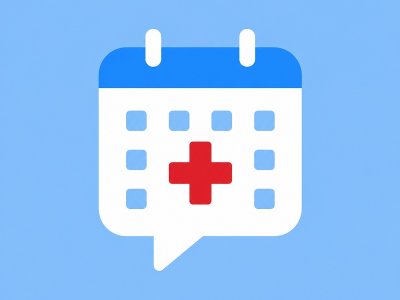
An AI booking bot for clinics qualifies inbound patients or clients, collects service type and contact details, and books a timeslot — often into Google Calendar — without a receptionist on every chat. Botconsole implements this with AI dialog nodes, Calendar integration, conditions, and CRM history on a single visual canvas.
The same pattern works for agencies, consultants, and service businesses using Telegram as a front door.
The problem clinics actually have
- Leads arrive after hours on Telegram
- Staff repeat the same intake questions
- No-shows rise when confirmations are manual
- Website forms and messenger bots disagree
A good bot does not replace clinical judgment; it standardizes intake and booking.
Target flow
- User: “I’d like to book a consultation”
- AI qualifies: service, preferred daypart, name, phone
- Calendar: create/update event (or offer free slots if you list them)
- CRM: store contact + UTM source
- Bot confirms: time, address/link, what to bring
Canvas recipe
Nodes to place
| Step | Node | Notes |
|---|---|---|
| 1 | Welcome | Services list + “Book” button |
| 2 | AI dialog | Extract service, timeslot preference, contact |
| 3 | Conditions | Route dental vs cosmetic vs general |
| 4 | Google Calendar | Create event with variables |
| 5 | Message | Confirmation + reschedule instructions |
| 6 | Optional payment | Deposit link via Stripe/PayPal if required |
Prompt guidelines for medical-adjacent bots
- Do not diagnose.
- Do not promise outcomes.
- Collect logistics only; escalate clinical questions.
- Confirm timezone and clinic location explicitly.
Google Calendar tips
- Use a dedicated calendar (
Clinic Bookings) not a personal inbox calendar. - Put orderable fields in the event description: phone, service, Telegram user id.
- For true free/busy slot picking, either:
- offer fixed slots as buttons, or
- sync availability via API patterns your plan supports.
Fixed slot buttons are often more reliable for clinics than open-ended “any time next week.”
Measuring success
Track in Botconsole analytics + your CRM:
- Booked events / started chats
- Drop-off at contact capture
- No-show rate after bot confirmations
- Share of after-hours bookings
FAQ
Can patients book from the website too?
Yes — publish the same flow to a web widget on plans that include it, so Telegram and site share logic.
What if Calendar creation fails?
Branch on error: apologize, offer a human handoff, and log the conversation for staff.
Is this HIPAA / medical compliance certified?
Treat Botconsole as a business automation tool. For regulated data, follow your jurisdiction’s rules, minimize sensitive data in chat, and involve counsel for clinical compliance requirements.
Related
- AI Order-Status Bot with Google Sheets
- Chatbot CRM: Leads, UTMs & History
- One Flow: Telegram + Website Widget
Start building free → Connect Calendar and launch a booking path this week.


Terms of material usage
Full or partial copying of materials is allowed only with an active and indexed link to the original source: https://botconsole.net/blog/en/1/ai-booking-bot-clinics-google-calendar